
C# для Windows и .NET: полный гайд по разработке в 2026 году
 авг, 17 2026
Когда вы открываете C# is a modern, object-oriented programming language developed by Microsoft that enables the creation of high-performance applications for Windows, web, and cloud environments. Known as C Sharp, it has become the backbone of enterprise software development. In 2026, C# remains the top choice for building native Windows desktop apps and scalable backend services on the .NET platform. Unlike older languages, C# offers a seamless blend of productivity and performance, making it ideal for both junior developers starting their career and senior architects designing complex systems.
The core value of C# lies in its tight integration with the Windows Operating System. While you can write cross-platform code, the deepest access to OS features-like WPF, WinForms, or new UI frameworks like MAUI-is available only through C#. This article breaks down how to structure your development environment, which technologies to pick in 2026, and how to avoid common pitfalls that slow down project delivery.
Key Takeaways
- C# is the primary language for native Windows application development, offering deep integration with OS APIs.
- .NET 8 and later versions provide long-term support (LTS) and significant performance improvements over previous releases.
- For desktop UIs, WPF remains the most mature option, while WinUI 3 offers a modern look but requires careful dependency management.
- Visual Studio and Rider are the two dominant IDEs; choosing one depends on whether you prefer Microsoft’s ecosystem or JetBrains’ tooling.
- Async/await patterns are essential for responsive UIs and efficient backend resource usage in C# applications.
Why C# Dominates Windows Development in 2026
You might wonder why C# still holds such a strong position when JavaScript and Python are everywhere. The answer is simplicity and consistency. When you write C# code, the compiler handles memory management, garbage collection, and type safety automatically. This means fewer crashes and less time debugging pointer errors compared to C++.
In the context of Windows, C# gives you direct access to the COM (Component Object Model) layer. This allows your application to interact seamlessly with Office suites, Active Directory, and other legacy enterprise tools. For example, if you need to build an internal tool that automates Excel reports for a finance department, C# is often the fastest path to implementation because the libraries are well-documented and stable.
Furthermore, the language itself has evolved significantly. Features introduced in recent versions, such as records, pattern matching, and nullable reference types, make the codebase cleaner and less prone to runtime null exceptions. These changes reduce the cognitive load on developers, allowing teams to focus on business logic rather than syntax quirks.
Choosing the Right .NET Version
Selecting the correct version of the .NET Runtime is the first critical decision. As of 2026, you should primarily target .NET 8 or .NET 9.
- .NET 8: A Long-Term Support (LTS) release. It receives security updates until November 2026 and feature updates until November 2024. This is the safest bet for enterprise applications where stability is paramount.
- .NET 9: A Standard Term Support (STS) release. It includes the latest performance optimizations and new API features but has a shorter support window. Use this if you need cutting-edge capabilities and plan to upgrade frequently.
Avoid targeting .NET Framework 4.x unless you are maintaining legacy code. The modern .NET Core (now just .NET) architecture is faster, uses less memory, and runs consistently across different operating systems if you ever decide to expand beyond Windows.
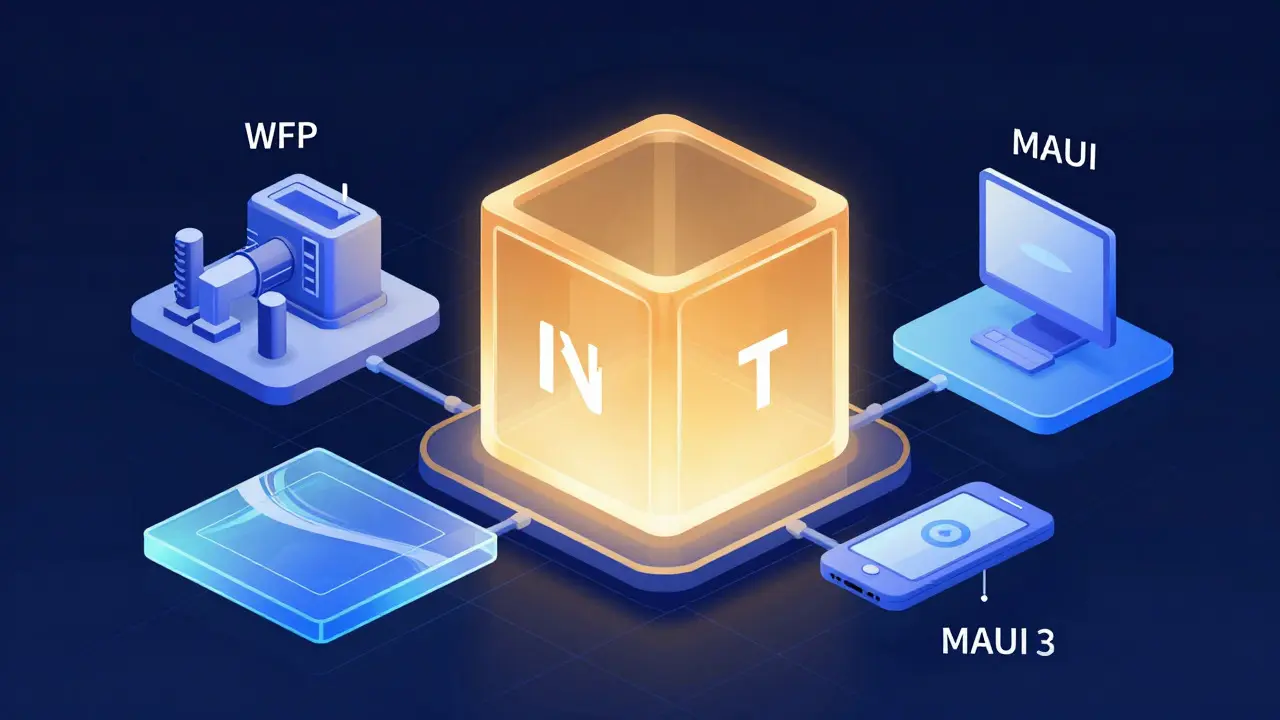
Desktop UI Frameworks: WPF vs. WinUI 3 vs. MAUI
Once you have your backend logic sorted, you need a way to display it to the user. This is where the choice of UI framework becomes crucial. Here is how the main options compare in 2026:
| Framework | Maturity Level | Best Use Case | Learning Curve |
|---|---|---|---|
| WPF (Windows Presentation Foundation) | High (15+ years) | Complex data-heavy enterprise apps | Steep (XAML + MVVM) |
| WinUI 3 | Medium (Growing) | Modern-looking consumer apps | Medium |
| .NET MAUI | Medium-High | Cross-platform mobile + desktop | Medium |
WPF is the veteran here. It offers unparalleled control over layout and rendering. If your application involves complex charts, drag-and-drop interfaces, or heavy data binding, WPF is likely your best friend. However, its default look and feel can appear dated without significant custom styling.
WinUI 3 brings the Fluent Design system to desktop apps. It looks beautiful out of the box, matching the aesthetics of Windows 11. But be aware: WinUI 3 projects can sometimes be tricky to package and deploy due to dependencies on specific Windows runtimes. Test your deployment pipeline early.
.NET MAUI (Multi-Platform App UI) is the successor to Xamarin. If you anticipate needing a mobile version of your app in the future, start with MAUI. It allows you to share a single codebase across iOS, Android, macOS, and Windows. The trade-off is that you might not get 100% native performance on every platform, but for most business logic, it is sufficient.
Development Environment Setup
Your productivity depends heavily on your tools. You have two main choices for Integrated Development Environments (IDEs):
- Visual Studio 2022: The standard Microsoft IDE. It comes with everything pre-installed: debugger, profiler, designer for XAML, and Git integration. It is free for students and open-source contributors. For pure Windows development, it is hard to beat.
- Rider by JetBrains: A powerful alternative that many senior developers prefer. Rider is known for its speed, excellent refactoring tools, and unified experience if you also work with other languages like Python or Go. It costs money, but the subscription pays off in saved time.
Regardless of the IDE, ensure you install the "Desktop Development with C#" workload. This includes the necessary SDKs and templates. Also, keep your NuGet packages up to date. Tools like Entity Framework Core for database access and xUnit or NUnit for unit testing are essential components of any professional C# project.
Common Pitfalls and How to Avoid Them
Even experienced developers fall into traps when working with C#. Here are three frequent issues and how to solve them:
- Blocking the UI Thread: Never perform long-running tasks (like file I/O or network calls) directly in event handlers. Always use
asyncandawait. If you forget, your application will freeze, and users will think it crashed. - Memory Leaks in Event Subscriptions: If you subscribe to an event from another object but never unsubscribe, the subscriber object cannot be garbage collected. Use weak references or proper disposal patterns (
IDisposable) to manage lifetimes. - Ignoring Nullability: With nullable reference types enabled, the compiler warns you about potential nulls. Do not suppress these warnings blindly. Fix the root cause by checking for nulls or using optional parameters correctly.
Adopting a strict coding style guide, such as the official Microsoft C# Coding Conventions, helps maintain consistency across your team. Consistency reduces review time and makes onboarding new developers smoother.
Frequently Asked Questions
Is C# good for beginners in 2026?
Yes, C# is excellent for beginners because of its strong typing and extensive documentation. The learning curve is manageable, and the community provides abundant tutorials and resources specifically for Windows development.
Can I build Linux apps with C#?
Absolutely. Since .NET Core, C# is fully cross-platform. You can build console apps, web APIs, and even desktop GUIs (using Avalonia or MAUI) that run on Linux and macOS without modification.
What is the difference between .NET Framework and .NET?
.NET Framework is the legacy platform tied to Windows. Modern .NET (starting from .NET Core 3.0) is cross-platform, open-source, and faster. Unless you are supporting very old software, you should always choose modern .NET.
Which UI framework should I choose for a new project?
If you need maximum stability and complex data handling, choose WPF. If you want a modern look and are comfortable with newer tech, try WinUI 3. If you plan to go mobile later, start with .NET MAUI.
Do I need to know SQL to use C#?
You don't need to be a database expert, but basic SQL knowledge is helpful. Most C# applications use Entity Framework Core, which abstracts much of the SQL, but understanding joins and indexes helps you optimize performance.